Workday 4 U

#WD4U

2026 Fall Release (2026R2)

A number of updates will be released by Workday on Friday, September 19, 2026, during the regular evening maintenance window. Workday will be unavailable during the maintenance period.

Notable Features in the 2026 R2 Release

Beginning Monday, September 21, 2026, you will notice an updated look, improved navigation, and enhancements designed to make your day-to-day work in Workday more efficient and more visually refined. Below is an overview of what to expect.

User Experience

  • A Refreshed Homepage

    Your Workday homepage now features a cleaner look with a flexible card-based 2-column desktop layout and a 1-column mobile layout. You can now:

    • View tasks and updates in the new Daily Brief widget, a streamlined card that consolidates Awaiting Your Action, Timely Suggestions, and Recommended for You sections.
    • View holidays, birthdays, and anniversaries in the Important Dates widget.
    • As a manager, view important information about your team in the new My Team (previously Team Highlights), Checked In, Not Checked In, Time Entries to Review, and Hiring and Staffing Summary cards.

    Note: Depending on your access, you will see different cards on the Workday home page.

  • Easier Navigation

    A persistent sidebar menu on desktop and a bottom menu on mobile that remain visible as you move through Workday make it faster to find the tools and information you use most, while optimizing screen space.
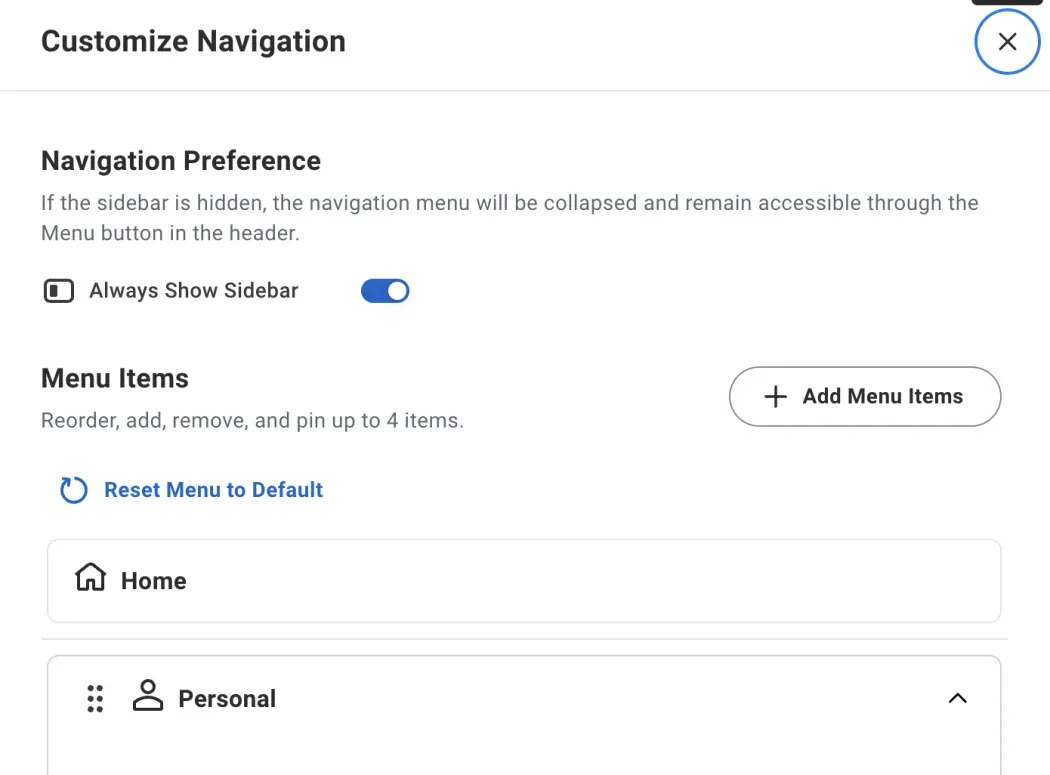
    • New Always Show Sidebar toggle in the sidebar settings menu (gear icon).
    • New Reset Menu to Default button in the sidebar settings menu (gear icon). You can use this button to reset your navigation menu to the default configuration.
    Updated Workday Menu Settings
  • A Cleaner Visual Style

    You'll notice small design updates throughout Workday, such as:

    • Rounded corners for pop-up windows, cards, buttons, and prompt menu items.
    • Active, hover, and focus states.
    • Font sizes and weights.
    • Refreshed icons.
    • Visual Updates to My Tasks, My Conversations, and the Notifications Page.

    The colored header bar at the top of pages is going away, giving pages a simpler, cleaner look.

  • Updated Worker Profile

    Your worker profile page has a new look and layout:
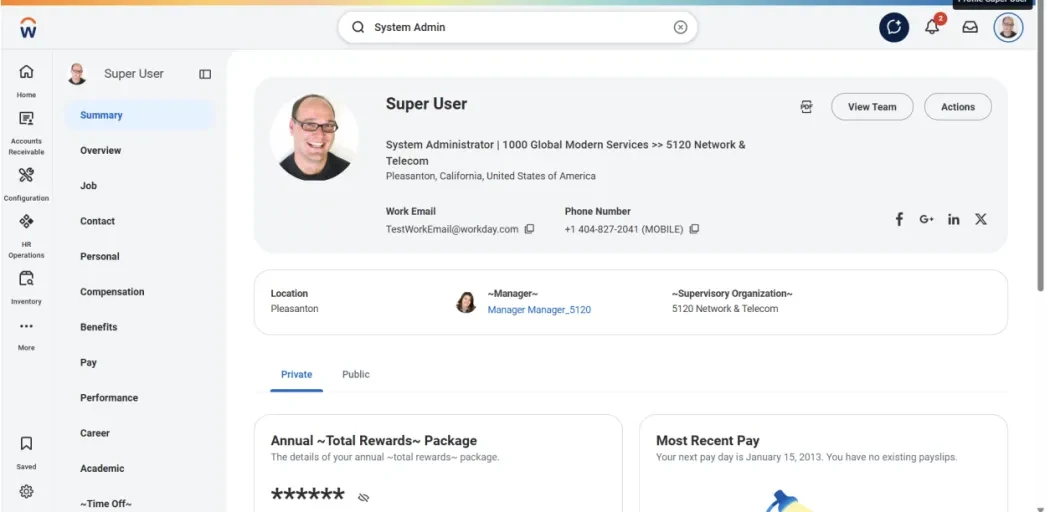
    • A profile banner showing your location and contact information.
    • A collapsible side menu gives you more control over how you navigate your profile.
    Updated Workday Profile

Finance

  • Manage My Receipts

    A new Manage My Receipts self-service task that lets you:

    • Edit, cancel, and track receipts you've created or requested — including picking up drafts you saved for later.
    • Easily manage corrections and resubmissions directly without contacting Procurement for support
  • Requisition Experience Unification

    Requisitioning is now simpler and more consistent. All of your requisitioning tasks live together in the Requisitions worklet, and the settings for optional fields have been unified across the board. The process will NOT change—only the page's appearance will be different.