Workday 4 U
#WD4U
#WD4U
Workday will release enhancements and new functionality (2026R1) on Friday, March 13, 2026, during the regular evening maintenance window. They will be available as of March 14, 2026. Workday will be unavailable during the maintenance period.
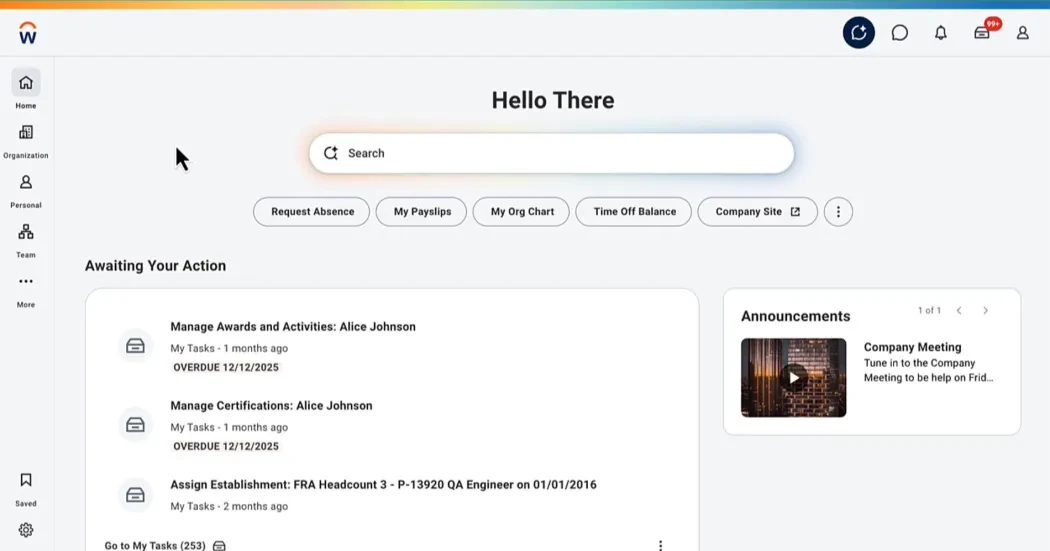
Workday is introducing a dynamic home page layout and updated search bar to enhance the user experience, providing a more polished and centered home page.
Workday Home: The new design features updated visual elements that reduce clicks on high-volume workflows.
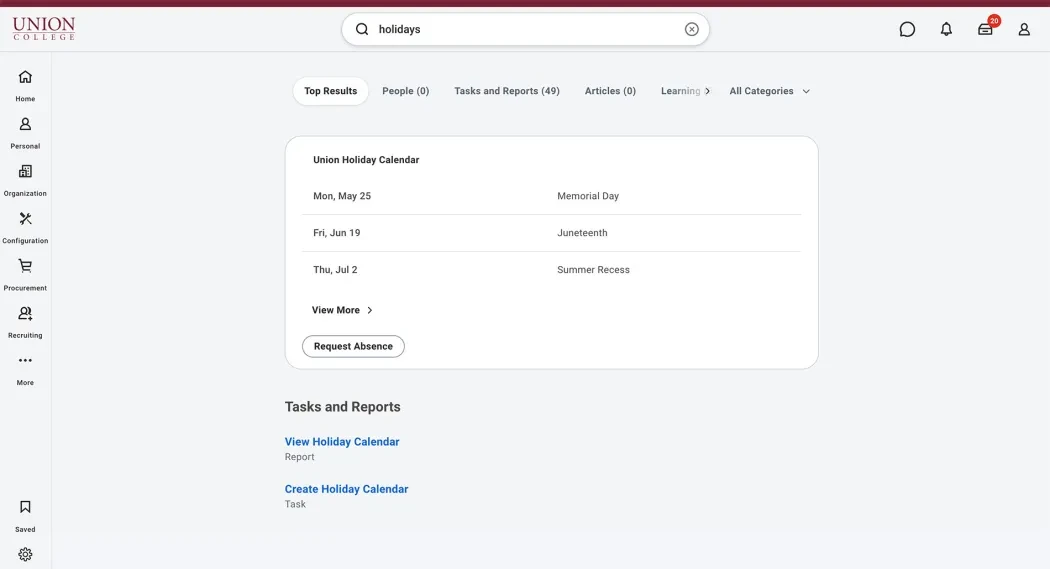
Reintroduces blue links back on the search page for all results.
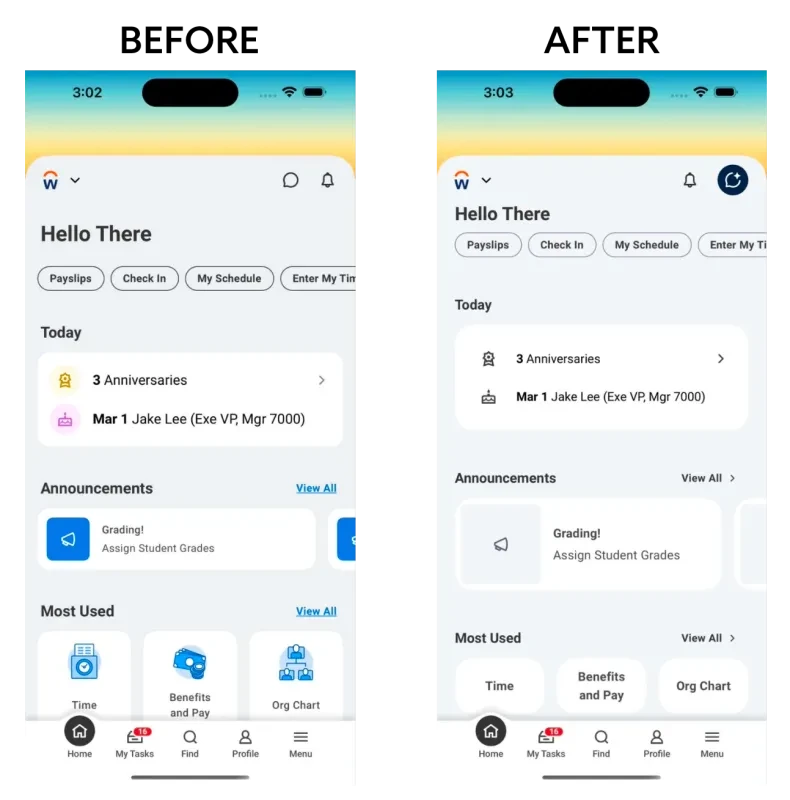
As part of the new user interface (UI) features for 2026R1, Workday will deliver an updated mobile app featuring improved usability with a cleaner, smoother, and more efficient interface.
Updated Mobile User Profile: The mobile user profile has been updated to simplify navigation and help users more easily find and update their personal information.
For enhanced security, campus users will be asked to enter their current bank account number before updating their payment election to a new bank account. All current rules will remain in effect, including the requirement to be logged in on campus to complete this task.
Workday is enhancing the Absence Calendar experience on mobile for campus users. Workers can now add multiple time-off entries on the same date. Workers can also request different types of time off for the same date and update the dates of existing time-off entries.
Edit and Approve Time functionality on Workday mobile will be available for supervisors. Supervisors can review, edit, and approve time cards directly from their mobile devices.
The Pay app will be disabled. Users can continue to access their pay-related self-service features through the Benefits and Pay hub.
The Personal Information Hub enables workers to view, edit, and update their contact and personal information in one centralized location.
The Expenses Hub will be available on mobile devices for campus users. Just like the desktop version, it centralizes expense tasks and reports, providing users with a single location to manage their expenses.

Your input—whether it highlights areas for improvement or celebrates what's going well — is invaluable.